In this guide
- Begin with the decision you actually need to document
- Read each document for its proper job
- Use a questions-first worksheet
- Verify narrow questions with the right organization
- A hypothetical review with an unresolved item
- Check the form without changing the decision
- Plan the after-submission check now
- Sources and scope
An enrollment review works best when it produces questions you can resolve, not a pile of downloaded brochures. City employees may encounter plan summaries, comparison charts, provider tools, enrollment forms, and messages about the same benefit. Those documents serve different purposes. Reading them in a deliberate order helps you notice missing information before you submit an election.
As checked October 2, 2026, the City’s health benefits page links plan comparisons, summaries, and provider search tools. Confirm the materials and enrollment instructions that apply to your situation directly with the responsible office. This article is a paperwork method, not advice to choose, retain, or cancel any coverage.
Begin with the decision you actually need to document
Write the task at the top of a blank page: reviewing an existing election, asking whether a change is possible, or completing a newly authorized enrollment. Do not assume that a general review period is currently open. A search result or banner can remain online after the period it described.
Record the exact year and coverage period printed on each document. “Downloaded today” is not the same as “current for this election.” If two documents cover different periods, keep them apart. If their dates cannot be reconciled, that conflict belongs on the question list before you compare details.
Read each document for its proper job
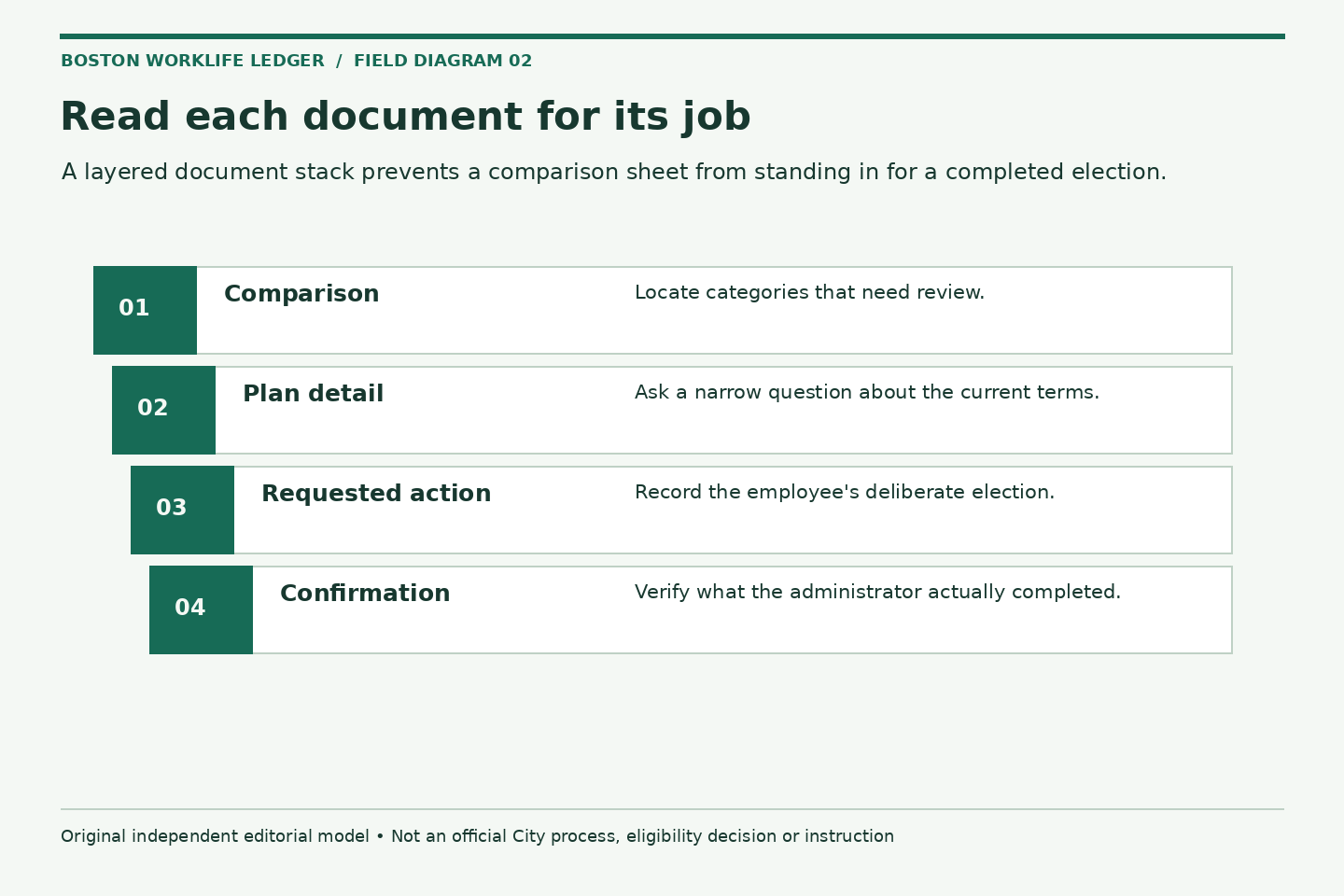
A comparison sheet is useful for locating categories of differences. A summary explains a plan’s terms at greater length. A provider directory helps you investigate a particular participation question. A form records your requested action. None should silently substitute for the others.
Create a reference line for every unresolved question: document title, page or section, date or version, and the exact item you need explained. You need not copy the whole passage. A short label such as “referral wording in current summary” can be enough to make a phone call productive while keeping your working notes concise.
Use a questions-first worksheet
- Which employment or bargaining-unit information does the office need to identify the applicable materials?
- What coverage period and form version should be used?
- Does the requested change require a particular event or supporting record?
- Who answers a plan-specific network or coverage question?
- What submission channel is accepted, and how is completion confirmed?
- What timing applies to the request, its effective date, and payroll processing?
This worksheet intentionally does not score plans. A score would hide assumptions about services, providers, household needs, and costs. Instead, it shows which facts are known and which need an authoritative answer. Leave unknown items blank rather than estimating them for the sake of a tidy page.
Verify narrow questions with the right organization
For a provider question, use the exact plan name and the provider’s practice location when asking the plan. Similar provider names and multiple office locations can cause confusion. Record the date, the tool or representative consulted, and any reference number. Do not treat an old insurance card or a general web listing as confirmation of future participation.
For an enrollment-process question, ask the benefits administrator rather than relying on a plan representative to determine City paperwork requirements. Conversely, a general HR contact may need to direct a detailed plan question to the carrier. Keeping these answers in separate fields makes the limits of each answer visible.
A hypothetical review with an unresolved item
Imagine an employee has two comparison sheets with different coverage periods and wants to know whether a particular office location appears in a provider directory. The employee initially writes one broad question: “Which plan should I take?” That question mixes a personal decision with missing factual information.
A more useful preparation sheet has three tasks: confirm the correct coverage-period documents, ask the plan about the precise location under the exact plan name, and verify the City’s submission process. The employee can then make their own decision using confirmed information. The example offers no conclusion about either plan or provider.
Check the form without changing the decision
Once an election has been chosen, review the administrative fields separately. Check names, dependent details if requested, requested coverage tier, signature requirements, and dates. Compare the form to the employee’s intended action. An accidentally checked box is a paperwork error, not a reason to reconsider the underlying preference.
If dependent information is involved, use the dependent record audit. If the request follows a household event, the life-event paperwork file provides a place to preserve event evidence and routing instructions.
Plan the after-submission check now
Before sending the form, ask what confirmation will look like and where to raise a discrepancy. Retain the submitted version and a receipt in an approved private location. When a response arrives, compare its people, coverage description, and effective date with your request. Flag any mismatch without assuming which record is wrong.
A later payroll entry is a separate observation, not a substitute for the benefits administrator’s confirmation. The deduction reconciliation guide helps frame a focused payroll question. Keep unresolved items open until the appropriate office explains them.
A successful review ends with current documents, answered factual questions, a deliberate election, and a traceable submission. It does not require memorizing every policy or predicting every future circumstance. It requires knowing which facts support the request and which organization can confirm its result.
Related reading: Audit dependent records without building a household dossier, A life-event paperwork file that answers the next question, Frame a payroll deduction question with a two-period comparison.