A life-event paperwork file that answers the next question
Separate what happened, what you are requesting, and what an administrator has confirmed before a family or coverage change becomes a paperwork tangle.
Read the guide ↗A QUIETER WAY TO HANDLE THE PAPERWORK
A change at home or at work can create several different administrative questions. Put the facts in order, identify the official owner, and confirm what completion looks like.
Independent of the City of Boston. We do not decide benefits, process HR cases, collect records or provide account support.
Access Boston is a City workforce sign-in context, not a destination for this publication’s readers to enter credentials. Our public resource guide explains how it fits alongside other official routes and where to confirm your next step.
Four substantial guides for preparing records, comparing source versions, and making an official conversation easier to resolve.
Separate what happened, what you are requesting, and what an administrator has confirmed before a family or coverage change becomes a paperwork tangle.
Read the guide ↗A practical review sequence for document versions, unresolved terms, submission instructions, and confirmation, without ranking plans or making eligibility assumptions.
Read the guide ↗Organize scheduling facts, confidential documentation questions, and written follow-up before a conversation about time away from work.
Read the guide ↗Map the small operational changes that can accompany a new worksite, supervisor, shift, or assignment without assuming every employee record updates automatically.
Read the guide ↗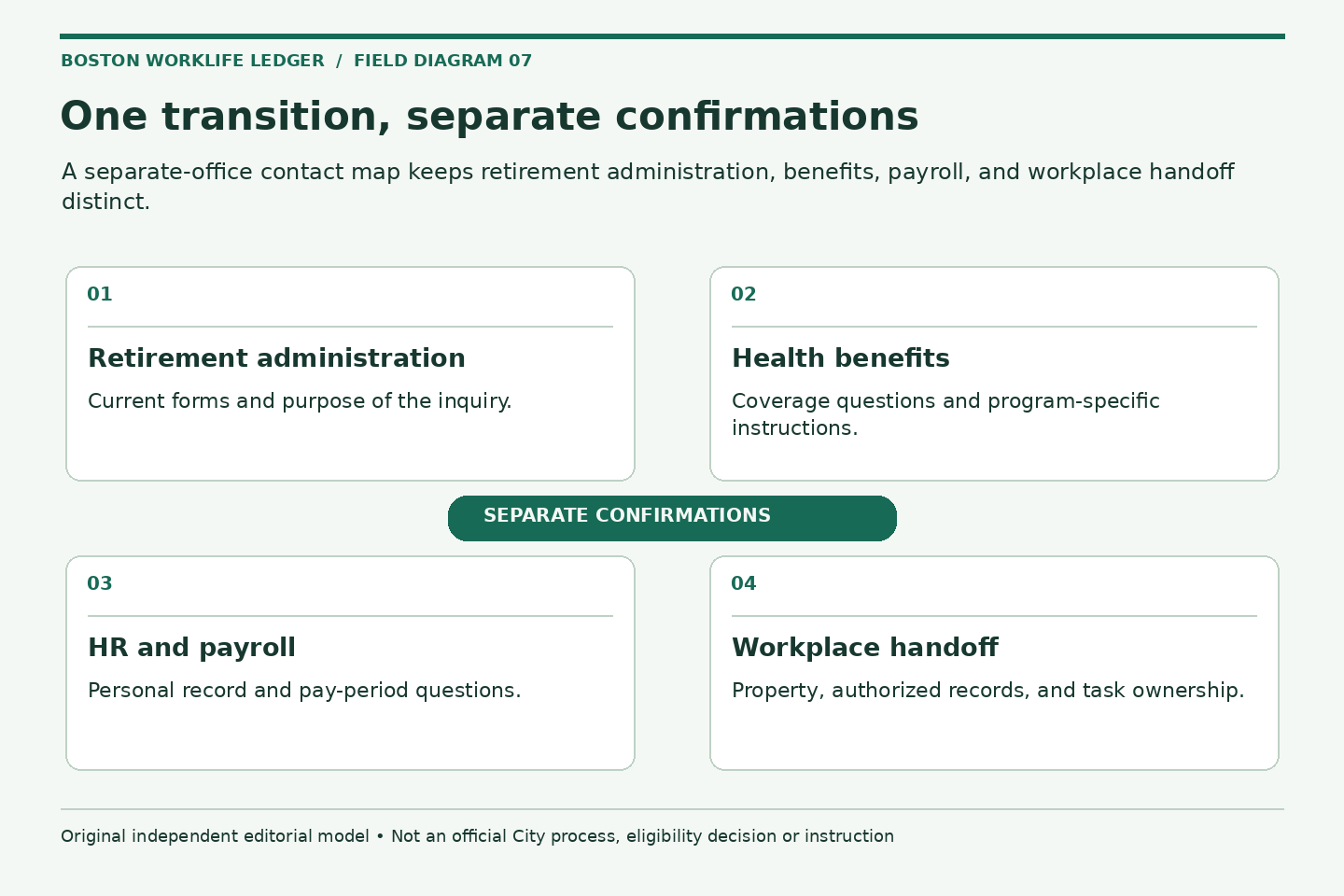
MAKE THE METHOD VISIBLE
Keep retirement, health benefits, payroll, and workplace property questions in distinct files before treating a transition as administratively complete.
Explore the method →Event Preparation Desk
Choose an event and the stage you are at. The desk creates an administrative preparation checklist in this page only. Do not enter personal details, employee IDs, medical information, or documents. It does not submit requests, save your selections, calculate deadlines, or decide eligibility.
Useful output: A three-part event file: facts, requested actions, and administrator confirmations.
Scope limit: Preparation only. No eligibility decision, filing deadline, benefit election, or submission is made here.
Useful output: A letter-reading sheet with distinct dates, affected people, and unanswered questions.
Scope limit: The tool does not decide qualifying-event status or recommend starting, cancelling, or continuing coverage.
Useful output: A current-document index and a list of answered, pending, and submitted items.
Scope limit: No plan ranking, cost projection, provider guarantee, or eligibility recommendation is generated.
Useful output: A leave-conversation agenda with named contacts, known dates, and unresolved questions.
Scope limit: This is administrative preparation, not medical advice or a determination of leave, pay, protection, or state PFML coverage.
Useful output: An operational handoff grid and first-day verification list.
Scope limit: The checklist does not approve a transfer, work location, schedule, device, or security permission.
Useful output: A commuter administration note with program, requested action, relevant period, and confirmation.
Scope limit: No fare comparison, subsidy calculation, tax advice, or employee-program eligibility determination is supplied.
Useful output: A period-specific inquiry with one unexplained entry and its supporting reference.
Scope limit: No amount owed, tax treatment, payment instruction, or correction entitlement is calculated by this tool.
Useful output: A minimal first-contact note and a separate list of formal-process requirements.
Scope limit: The tool does not provide medical or legal advice, determine eligibility, or approve a workplace adjustment.
Useful output: A minimal contact plan with a private response method and one clearly stated question.
Scope limit: The desk is not counseling, clinical advice, or emergency assistance, and it does not promise a service outcome.
Fixed public-source reading aid, checked October 2, 2026. Choices exist only in this page’s memory. No tool storage, cookies, uploads, URL parameters or network requests. Your browser may restore form state independently. Never enter private records or credentials.
Benefits paperwork, schedule logistics, workplace records and resource routing. Each of the 18 articles has one practical purpose.
18 articles
Life Events
Separate what happened, what you are requesting, and what an administrator has confirmed before a family or coverage change becomes a paperwork tangle.
Read the article : A life-event paperwork file that answers the next questionBenefits Administration
A practical review sequence for document versions, unresolved terms, submission instructions, and confirmation, without ranking plans or making eligibility assumptions.
Read the article : Turn benefits materials into a clear enrollment question listLeave and Support
Organize scheduling facts, confidential documentation questions, and written follow-up before a conversation about time away from work.
Read the article : Prepare for a leave conversation without mixing up the programsWorkplace Logistics
Map the small operational changes that can accompany a new worksite, supervisor, shift, or assignment without assuming every employee record updates automatically.
Read the article : The administrative handoff for a changed worksite or assignmentLife Events
Identify what a record proves, which request it supports, and where it belongs before sending family documents.
Read the article : Match family-status evidence to the question being askedLife Events
Extract the few dates and facts an administrator may need without assuming the last day worked is the last day insured.
Read the article : Read a loss-of-coverage letter before opening the next requestBenefits Administration
Compare a small set of requested fields against an enrollment confirmation while keeping unnecessary family information out of routine messages.
Read the article : Audit dependent records without building a household dossierBenefits Administration
Find the correct program and form, review completion requirements, and retain an acknowledgment without treating one designation as universal.
Read the article : Check a beneficiary form as a separate administrative taskPay and Records
Use labels, pay-period dates, and the relevant confirmation to describe a discrepancy without guessing why a deduction changed.
Read the article : Frame a payroll deduction question with a two-period comparisonPay and Records
Verify the statement, identify the coverage period, and prepare a focused billing inquiry before treating an unfamiliar invoice as routine.
Read the article : What to record when a separate benefits bill arrivesWorkplace Logistics
Separate travel planning from pass administration, deduction questions, and the confirmation of a requested change.
Read the article : A commuter benefit check when the work pattern changesWorkplace Logistics
Discuss coverage, authorized equipment, attendance communication, and review points without assuming a remote-work arrangement is automatic.
Read the article : A useful agenda for a hybrid-work check-inLeave and Support
A minimal first-contact plan for asking about support, appointment logistics, and confidentiality without putting a personal history into an email.
Read the article : Make an Employee Assistance Program inquiry easier to startLeave and Support
Organize the incident report and follow-up references without delaying care, speculating about fault, or treating notes as a benefit determination.
Read the article : Keep a factual work-injury information logLeave and Support
Prepare task-focused notes and questions about the current process while leaving medical, legal, and approval judgments to the appropriate professionals.
Read the article : Describe the work barrier before assembling accommodation paperworkPay and Records
Keep retirement, health benefits, payroll, and workplace property questions in distinct files before treating a transition as administratively complete.
Read the article : Build a retirement administration handoff, one office at a timeOfficial Resource Use
Distinguish public reference pages, Access Boston, Beacon inquiries, and program-specific questions so the first request reaches a useful destination.
Read the article : Find the right official resource before opening a service requestPay and Records
Use a purpose-and-recipient check to reduce unnecessary copies of personal records while still supplying what an official process requires.
Read the article : Send the smallest useful HR paperwork packetTHE EDITORIAL STANDARD
Boston Worklife Ledger adds original planning methods, labeled hypothetical examples and diagrams to current public-source research. Source-check dates are visible so a reader can distinguish the reviewed source from a promise of continuing accuracy.
No invented employees, interviews, professional reviews or testimonials. This collection was prepared with automated assistance. Responsible publisher: morales mike.