In this guide
A family change can produce several employee tasks at once: asking about coverage, locating evidence, updating a record, and arranging time away. The difficult part is often keeping those tasks separate. A document proving an event does not by itself tell you which benefit can change, when an election takes effect, or whether another office needs its own form.
This guide describes an independent preparation method, not City policy or an eligibility decision. Official resources were checked October 2, 2026. Boston’s health benefits page identifies the Health Benefits Office. An older benefits guide describes life-event changes, but its historical dates and instructions need current confirmation.
Start with a three-part event note
Write one sentence for each of three headings: what happened, what you want reviewed, and what you do not yet know. Keep the first sentence factual. The event date may differ from the date a certificate was issued or the date you received a letter. Record those separately rather than picking whichever date looks most convenient.
The requested action should be equally precise. Asking whether a dependent can be added is different from asking whether a name needs correction. Asking about a loss of other coverage is different from asking to cancel an existing election. If several changes are involved, number them. An administrator should be able to answer one item without having to reconstruct the entire household story.
Build an index before collecting a large packet
A useful index has six fields: document description, issuer, event it relates to, date shown, current location, and whether submission was requested. The index can simply say that a certificate is available; it need not reproduce personal identifiers. Store actual records separately from an everyday task list.
Ask which evidence is accepted before requesting duplicate certified records or paying for a replacement. Questions worth settling include whether a readable copy is sufficient, whether all pages are needed, which names must appear, and how to handle a record that has not been issued yet. Do not alter an official record to make its details match another document. Instead, flag the discrepancy for review.
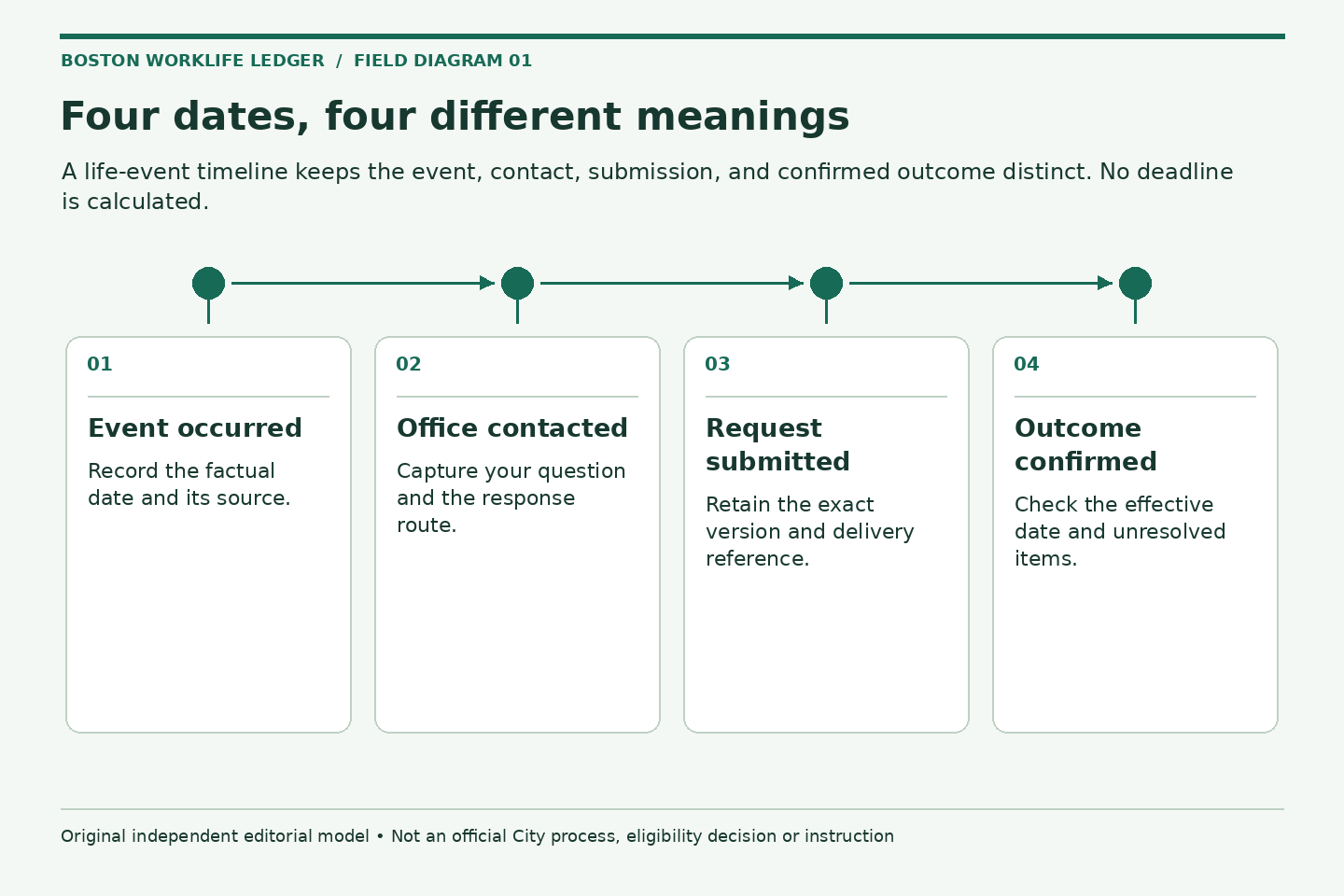
Keep four dates visible
- The event date, with the document or source that supports it
- The date you first contacted the responsible office
- The submission date and the method used
- The effective date or next action date confirmed by the administrator
A fifth field, “deadline not yet confirmed,” is better than an invented countdown. Ask promptly about time limits, including what must be received rather than merely sent. If an official supplies a deadline, record who supplied it and the context. This publication does not calculate a filing deadline from the type of event you select.
Separate evidence from elections
Use different folders or clearly labeled sections for evidence, application or election forms, and confirmation. Evidence explains a fact. A form requests an action. A confirmation tells you what the receiving organization did. Combining all three under “benefits completed” hides unfinished work.
Check whether the same event affects other records without assuming an automatic connection. A household change may prompt questions about dependent records, beneficiary designations, payroll information, or an emergency contact. Each system can have a different owner. The family-status evidence guide explains how to identify a document’s purpose without creating an unnecessary packet.
A hypothetical example
Suppose an employee wants to ask about adding a spouse after a marriage. The employee has a dated certificate and a separate letter about the spouse’s existing coverage. Rather than sending both to several addresses, the employee first asks the Health Benefits Office which event and request should be documented, which evidence is required, and where it belongs.
In the private index, the certificate is marked “available,” the other-coverage letter is marked “purpose to confirm,” and the enrollment request is marked “not yet submitted.” After instructions arrive, the employee records the accepted channel and form version. This example illustrates organization only; it does not establish that a person qualifies or that a particular document is sufficient.
Make the first inquiry easy to answer
Lead with the event category and date, the benefit or record involved, and the action you want reviewed. Ask for the current form, evidence requirements, submission channel, applicable time limit, and method of confirmation. Avoid medical narratives, full identification numbers, or a bundle of unrelated records in an initial routing message.
For an event involving another employer’s plan, use the coverage-loss question sheet to distinguish the last day of coverage from employment dates. For a request involving time away, open a separate leave conversation file. Related events do not necessarily share one process.
Close the file with evidence of the outcome
Before marking the task complete, check that the response addresses the requested people, record, and effective date. A receipt acknowledges delivery; it may not mean acceptance or activation. If a response is partial, preserve it and ask only about the unresolved point.
- Current responsible office and submission method confirmed
- Accepted evidence list recorded without unnecessary copies
- Forms checked for missing fields and signatures
- Receipt retained separately from final confirmation
- Remaining record updates assigned their own next steps
Keep the finished record in an appropriate private location. The goal is a small, understandable trail showing what you asked, what you supplied, and what was confirmed, rather than a large archive nobody can interpret.
Related reading: Match family-status evidence to the question being asked, Read a loss-of-coverage letter before opening the next request, Prepare for a leave conversation without mixing up the programs.