In this guide
- Describe the approved change before listing the consequences
- Use an ownership grid
- Separate physical access from account access
- Review the first working day as a sequence
- A hypothetical move between work locations
- Consider the commute without presuming a benefit change
- Keep the information handoff small
- Use a short verification meeting
- Sources and scope
A changed worksite or assignment can be administratively awkward even when the work itself is familiar. A badge may refer to the old location, a recurring meeting may use the wrong room, and a payroll question may go to a former contact. The solution is not one enormous change request. It is a handoff that names the owner of each affected record.
City sources checked October 2, 2026 include the employee handbook’s workplace policies and Human Resources directory. The handbook routes badge assistance through departmental HR. Confirm current departmental instructions. This independent checklist does not authorize a transfer, a hybrid arrangement, access privileges, or a change in employment terms.
Describe the approved change before listing the consequences
Begin with the change that has actually been confirmed. Record the effective date, the approving contact, the new work location or reporting arrangement, and any temporary conditions. If the arrangement is only being discussed, label the document “planning questions.” Do not distribute a proposed schedule as though it were already approved.
Next, record what is unchanged. The same title may remain in place while a location changes; a new supervisor may take responsibility while the payroll contact stays the same. This short boundary statement reduces unnecessary requests and helps each office identify the action it truly owns.
Use an ownership grid
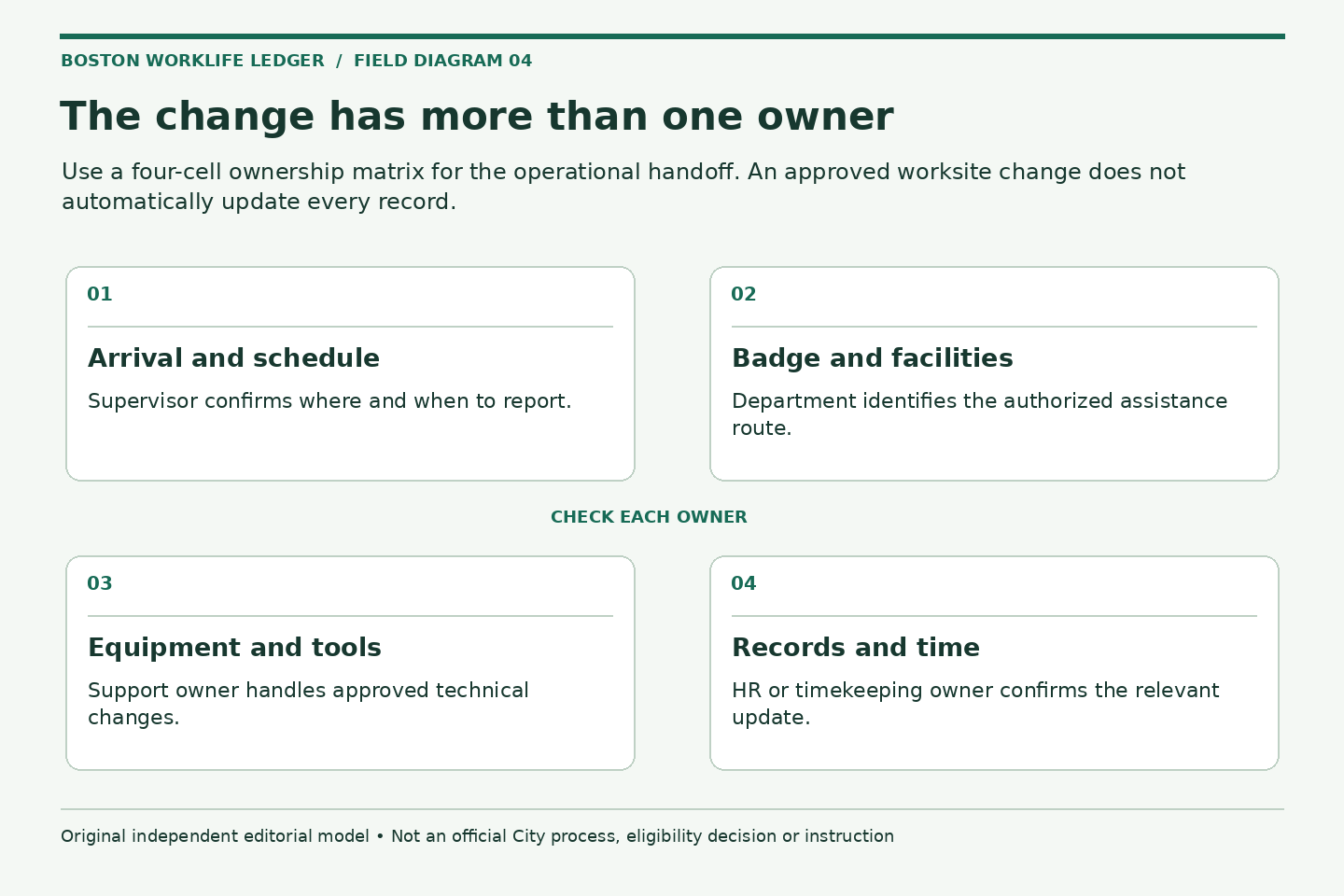
Make four columns: item, current state, requested or confirmed state, and responsible contact. Start with everyday operational items: reporting location, arrival instructions, work schedule, supervisor, timekeeping approval, equipment, telephone routing, mailing address, and meeting invitations.
Then add administrative questions that may need review: directory information, badge use, benefit-related employment records, commuter arrangements, and the location of departmental procedures. Do not mark an item complete because a colleague says “that should update.” Ask what evidence will show that the change has reached the relevant record.
Separate physical access from account access
A building badge and permission to use a software system solve different problems. Neither should be borrowed or shared while waiting for an update. Ask the department to identify the correct access request and any approved temporary arrangements. Put the business need in the request; leave credentials and security answers out of the handoff document.
For equipment, list the device or asset label only to the extent your department permits. Confirm who arranges pickup, return, configuration, or relocation. Do not move restricted records or install tools yourself merely because the new desk lacks something the old desk had.
Review the first working day as a sequence
- Arrival: confirm the location, entrance, contact person, and any appointment needed
- Start of work: identify the schedule and the person who can resolve an operational question
- Core tasks: check authorized access to the information and equipment those tasks require
- Time reporting: confirm the appropriate approval route
- End of day: record unresolved items and the next responsible contact
This sequence is especially useful for employees who work across locations. A generic “access works” check may miss a problem that appears only at a particular building or during a particular shift. Describe the actual task that is blocked rather than asking for broad access to everything.
A hypothetical move between work locations
Imagine an employee whose approved assignment moves to another City facility while the supervisor remains the same. Their preparation grid contains a confirmed worksite, an unresolved badge question, a device relocation appointment, and a question about where paper correspondence should be delivered.
The employee sends the badge question to the contact identified by departmental HR, checks device arrangements with the authorized support team, and asks the supervisor to confirm arrival instructions. A commuter question goes in a separate review. The change is not treated as a reason to re-enroll in benefits or revise payroll data without instructions.
Consider the commute without presuming a benefit change
A new site or shift may change the practical usefulness of an existing commuting arrangement. Record the first date the travel pattern changes and the exact question you need answered: a pass order, pickup process, cancellation request, or enrollment instruction. Do not assume that a schedule change automatically modifies a deduction.
The commuter change checklist provides a separate ledger for those questions. If a remote-work arrangement is involved, use the hybrid-work check-in agenda to document what has actually been approved and what still needs discussion.
Keep the information handoff small
The employee, supervisor, HR contact, and support team do not all need the same document. A supervisor may need task coverage and schedule information. A support team may need the system name and business justification. A benefits contact may need a specific employment-record question. Send each recipient the relevant portion rather than the whole packet.
For private supporting documents, follow the HR paperwork privacy checklist. Never include unrelated household records or a complete paycheck in a routine worksite email simply because those files happen to be open.
Use a short verification meeting
After the change takes effect, review the ownership grid with the appropriate contact. Close items with observable evidence: the correct location appears where expected, an approved device is available, or the proper person can review the time record. Keep pending items visible with a next action and owner.
A useful administrative handoff is finished when the employee knows where to go, which authorized tools to use, who handles remaining questions, and which records have actually changed. It should make the new arrangement easier to operate without promising outcomes that no responsible office has confirmed.
Related reading: A commuter benefit check when the work pattern changes, A useful agenda for a hybrid-work check-in, Send the smallest useful HR paperwork packet.